MCP protocol is an open standard that lets AI applications connect to tools, data sources, prompts, and external systems through a common client-server pattern. Instead of building a custom integration for every model and every tool, builders can expose capabilities through MCP servers that compatible clients can discover and use.
TL;DR
- Model Context Protocol is an open standard for connecting AI apps to tools, resources, and prompts.
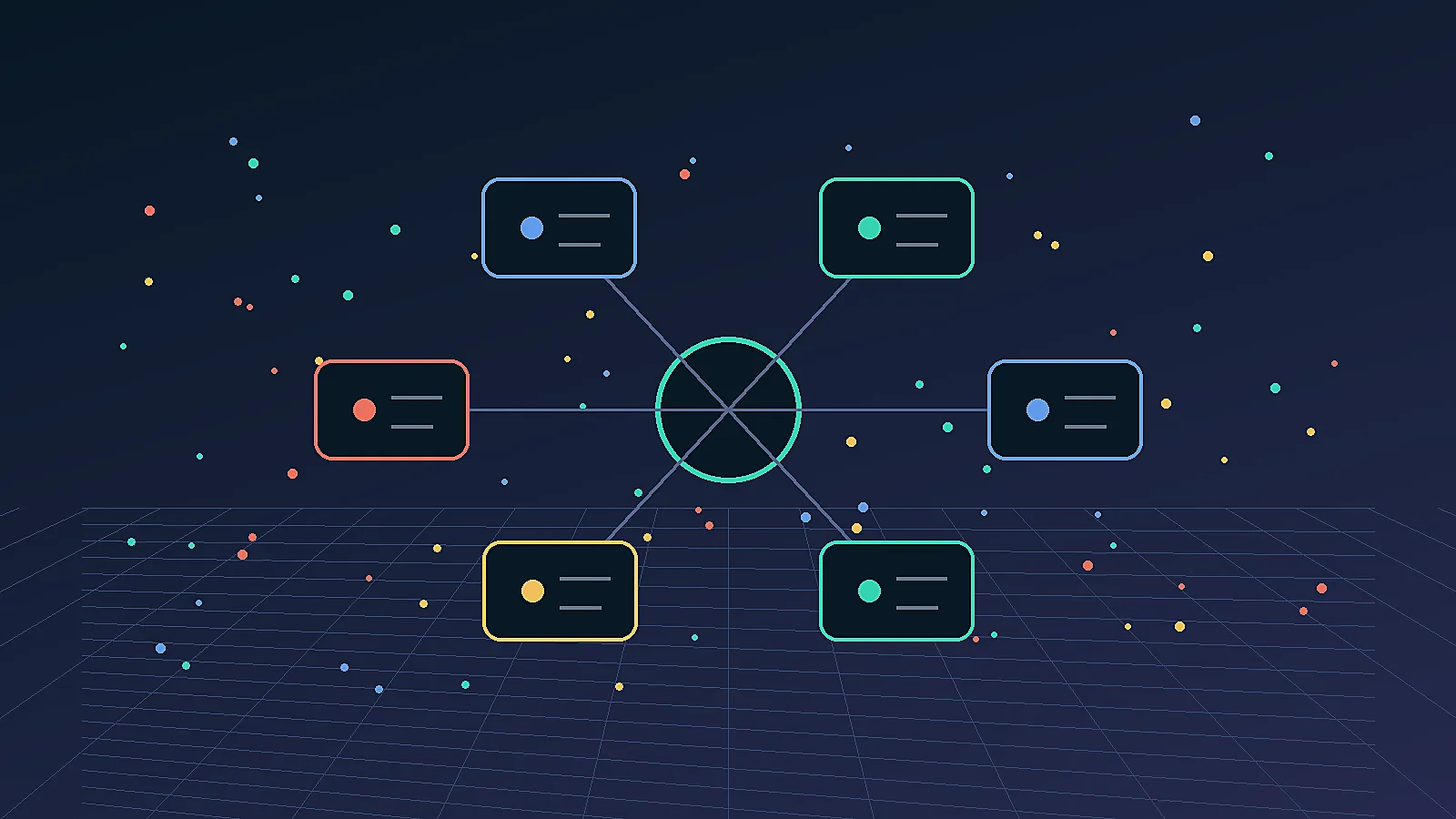
- The basic architecture has MCP clients, MCP servers, tools, resources, prompts, and transports.
- A server can expose actions such as querying a database, reading files, calling an API, or operating an internal workflow.
- MCP does not remove the need for authentication, permissions, logs, rate limits, and human approval for sensitive actions.
- If you want the deployment side, read How to Self-Host MCP Server on a Residential IP VPS.
Recommended Image Assets
- Hero image:
output/picture/19-mcp-protocol-hero.webp- Alt text:
Model Context Protocol architecture with AI client MCP server tools resources prompts and secure VPS hosting
- Alt text:
- Secondary image suggestion for WordPress stage:
mcp-protocol-builder-checklist.webp- Alt text:
MCP builder checklist for clients servers tools resources prompts permissions logs and deployment
- Alt text:
What Is Model Context Protocol?
Model Context Protocol is a standard interface for connecting AI systems to external context and actions. The official documentation describes it as a way for applications to provide context to LLMs through a standardized protocol.
In practical terms, MCP answers a common builder problem:
| Without MCP | With MCP |
|---|---|
| Every AI app needs custom integrations | Tools can be exposed through MCP servers |
| Tool schemas differ by app | Clients can discover standardized capabilities |
| Context is copied manually | Resources can expose data to the model |
| Prompts live in ad hoc files | Prompt templates can be served consistently |
| Security is easy to improvise badly | Permissions can be designed as a server boundary |
This does not mean MCP solves every integration problem. It gives builders a common shape for tool access. You still need to design safe tools, permissions, observability, and deployment.
Core Concepts
The core MCP concepts are client, server, tool, resource, prompt, and transport. Once you understand those pieces, the rest of the protocol becomes much less mysterious.
| Concept | Meaning | Example |
|---|---|---|
| MCP client | The AI application side that connects to servers | Claude Desktop, an IDE, an internal agent app |
| MCP server | A service that exposes tools/resources/prompts | A GitHub server, database server, CRM server |
| Tool | An action the model can request | Create ticket, query database, fetch order |
| Resource | Context the model can read | Files, docs, database records, logs |
| Prompt | Reusable prompt template | Support triage prompt, deployment checklist |
| Transport | How client and server communicate | stdio, HTTP/SSE, streamable HTTP depending on implementation |
Think of the server as the boundary. It decides what the AI can see and do. A well-designed MCP server exposes useful, narrow capabilities instead of handing the model unlimited system access.
How MCP Works in Practice
MCP works by letting a client discover server capabilities and then request tools or context through defined interfaces. The model does not directly control your database or operating system; it asks the MCP client to call server-defined capabilities.
A typical flow:
- The user asks the AI assistant to do something.
- The MCP client knows which servers are connected.
- The client discovers tools, resources, and prompts from those servers.
- The model chooses a relevant capability.
- The client requests the tool or resource.
- The server performs the allowed operation.
- The result returns to the model and user.
- Logs and approvals record what happened.
The protocol helps standardize this flow, but the builder still decides whether a tool is read-only, write-capable, destructive, rate-limited, or approval-gated.
Versioning also matters. Builders should track which protocol version, client, server implementation, and transport they support. A tool that works in a local desktop client may need different authentication, hosting, or network assumptions before it becomes a production service.
This is why production teams should document every server like an API product: supported tools, required permissions, expected inputs, failure modes, owner, and rollback path. The more useful the tool is, the more important that documentation becomes.
MCP Server vs API Endpoint
An MCP server is not just another REST API endpoint; it is an AI-facing capability layer designed for discovery and tool use. A normal API assumes developers know the endpoints. An MCP server exposes capabilities in a way an AI client can understand.
| Dimension | REST/GraphQL API | MCP Server |
|---|---|---|
| Primary consumer | Developers and applications | AI clients and agent runtimes |
| Discovery | Docs or schema | Client-discoverable tools/resources/prompts |
| Context | Usually app-specific | Designed to provide model context |
| Action shape | Endpoint-oriented | Tool-oriented |
| Prompt support | External | Built into protocol concepts |
| Safety boundary | API auth and permissions | Server-defined tool boundaries plus auth |
Many MCP servers call normal APIs internally. The difference is the interface exposed to the AI client.
What Builders Can Use MCP For
Builders can use MCP to connect AI assistants to internal tools, databases, documents, workflows, monitoring systems, and deployment tasks. The best early use cases are narrow, auditable, and reversible.
Good use cases:
- Read internal docs and runbooks.
- Query logs and metrics.
- Create support tickets.
- Search a product catalog.
- Pull CRM account context.
- Trigger n8n workflows.
- Check deployment status.
- Fetch SEO/GEO monitoring results.
Riskier use cases:
- Delete production data.
- Send messages from user accounts.
- Change billing settings.
- Buy products automatically.
- Modify infrastructure without review.
For risky actions, require human approval. MCP gives structure; it does not decide your risk tolerance.
Hosting MCP Servers on a VPS
Hosting MCP servers on a VPS makes sense when you need persistent runtime, private network access, webhooks, logs, and control over deployment. Some MCP servers run locally. Production servers often need a stable host.
A VPS-hosted MCP server is useful when:
| Need | Why VPS Helps |
|---|---|
| 24/7 availability | The server stays online when your laptop is closed |
| Private integrations | The server can reach internal APIs or databases |
| Webhooks | External systems can call the server |
| Logs | You can audit tool calls and errors |
| Browser tools | Playwright or Chrome can run near the agent |
| Stable identity | The server keeps IP and session continuity |
A Residential IP VPS is useful only when the tool calls involve browser sessions, account-bound workflows, or platforms where residential network identity matters. For general API and database tools, a normal VPS is often enough.
For deployment details, see How to Self-Host MCP Server on a Residential IP VPS and the broader VPS Management: Practical Guide.
Security Checklist
MCP security should focus on least privilege, explicit permissions, logging, and approval gates. Do not expose powerful tools just because the protocol makes integration easy.
Checklist:
- Expose narrow tools, not broad shell access.
- Separate read-only and write-capable tools.
- Require authentication for remote servers.
- Log every tool call and result.
- Add rate limits for expensive operations.
- Require human approval for destructive actions.
- Avoid embedding secrets in prompts or responses.
- Sanitize user-provided input.
- Monitor errors and unusual usage.
- Keep server dependencies updated.
The MCP server is a security boundary. Treat it like one.
Common Mistakes
Most MCP mistakes come from exposing too much capability too early. A demo server can be broad. A production server should be narrow, documented, and observable.
Avoid:
- Tools that execute arbitrary commands.
- Database tools with unrestricted write access.
- No audit logs.
- No approval for irreversible actions.
- Secrets returned to the model.
- Public servers without authentication.
- Confusing MCP with a replacement for app permissions.
- Running production tools from a laptop.
Start with read-only context tools. Add write actions only after you have logs, tests, and approval flow.
FAQ
What is MCP protocol?
MCP protocol is the Model Context Protocol, an open standard for connecting AI applications to tools, resources, prompts, and external systems. It gives builders a common client-server pattern for tool discovery and context access.
Is MCP only for Claude?
No, MCP began with Anthropic’s ecosystem but is designed as an open protocol that other AI clients and tools can implement. The value is standardization: one server can potentially serve multiple compatible clients.
What is an MCP server?
An MCP server is a service that exposes tools, resources, or prompts to an MCP client. It can connect to files, APIs, databases, CRMs, monitoring systems, or internal workflows, depending on what the builder chooses to expose.
How is MCP different from function calling?
Function calling is usually model/API-specific, while MCP defines a broader client-server protocol for discovering and using tools and context. MCP servers can wrap APIs, files, prompts, and resources in a reusable interface.
Do I need a VPS for MCP?
You need a VPS for MCP when the server must run 24/7, receive webhooks, reach private systems, keep logs, or support production workflows. Local servers are fine for development and personal tools.
Should MCP servers run on Residential IP VPS?
MCP servers need Residential IP VPS only when their tools use browser sessions, account-based workflows, or geo-sensitive web access. For ordinary API tools, normal cloud VPS can be enough. Use residential infrastructure when network identity affects reliability.
Is MCP safe for production?
MCP can be safe for production when tools are narrow, authenticated, logged, rate-limited, and approval-gated for sensitive actions. It is unsafe if you expose broad system access without permissions and monitoring.
Conclusion
MCP gives AI builders a common way to connect models to useful tools and context, but production value depends on disciplined server design. The protocol is the interface; your permissions, logs, deployment, and approval gates make it safe.
Start with read-only tools, then add narrow actions. Host production servers on infrastructure you can monitor and recover. Use VoyraCloud Residential IP VPS when your MCP tools also need browser automation, stable residential identity, or account-bound web workflows.