Self-host n8n on a VPS when you need workflow automation that you can control, secure, back up, and keep online 24/7. VoyraCloud’s n8n application image provides a preinstalled single-node starting point for webhook automation, AI workflows, CRM syncs, content operations, monitoring jobs, and browser-agent orchestration. Cloud VPS is the default choice for ordinary workflows; Residential IP VPS is useful only when stable residential network identity adds real value.
TL;DR
- The VoyraCloud n8n application image provides n8n Community Edition on a persistent Ubuntu VPS, with Owner account initialization on first access and automatic recovery after a VPS reboot.
- Start with at least 2 vCPU and 4 GB RAM. For ordinary API, webhook, and internal automation, Cloud VPS is the default choice.
- The image does not include automatic HTTPS, an external Postgres service, queue mode, multiple workers, high availability, automatic backups, or automatic n8n upgrades.
- Configure an encrypted access path before submitting an Owner password or storing production credentials. Add Postgres, backups, monitoring, or queue mode only when your workload requires those user-managed production enhancements.
- A Residential IP VPS is useful only when workflows genuinely benefit from stable residential IP identity, such as browser sessions or region-sensitive account operations.
Recommended Image Assets
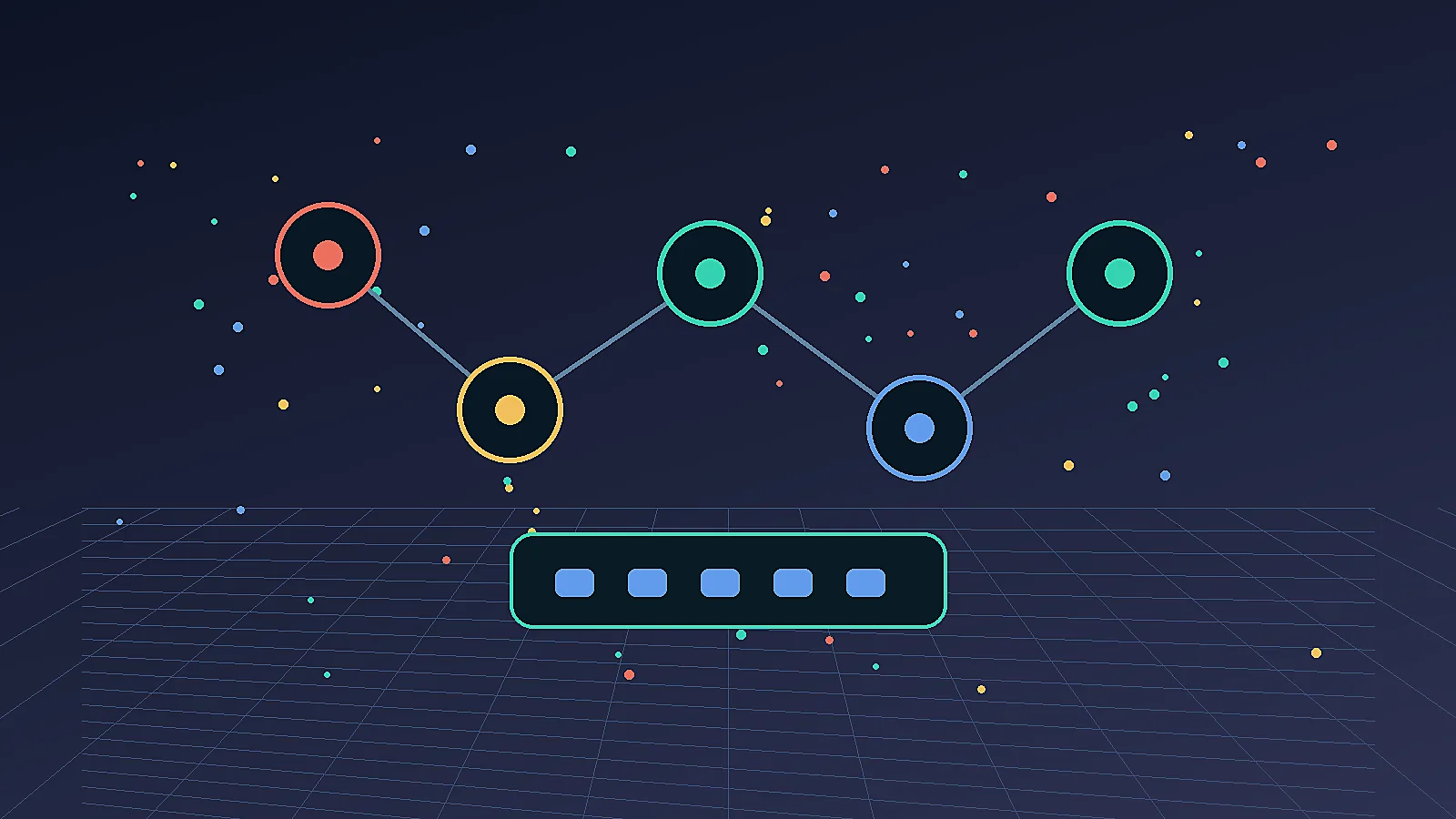
- Hero image:
output/picture/09-self-host-n8n-residential-ip-vps-hero.webp- Alt text:
self-host n8n on a VoyraCloud VPS with application image and production hardening
- Alt text:
- Required real product screenshot before publication:
voyracloud-n8n-application-image-first-access.webp- Alt text:
VoyraCloud n8n application image showing the real first-access Owner setup screen - Publication requirement: capture this image from an accepted VoyraCloud n8n VPS. Do not replace it with a generated interface or a screenshot from an unrelated n8n deployment.
- Alt text:
What Does It Mean to Run n8n on Your Own VPS?
Running n8n on your own VPS means you operate the automation platform on infrastructure you control instead of relying entirely on n8n Cloud. You own the server, database, environment variables, network exposure, backups, upgrade schedule, and access model.
n8n’s official hosting documentation states that self-hosted installations use the same core product, with the Community edition available without a license key and Business/Enterprise features unlocked by license. The docs also warn that self-hosting requires technical knowledge around servers, containers, resources, security, and configuration.
That warning matters. A local demo is easy. A production deployment needs:
- A stable VPS.
- Docker or another clean runtime.
- A durable database.
- HTTPS for webhooks and editor access.
- Backups and restore testing.
- Monitoring for failed executions.
- Secrets management.
- A maintenance owner.
The goal is not simply to “get n8n running.” The goal is to make sure workflows still run next week, after a reboot, after an upgrade, and after a failed execution.
Deploy n8n with the VoyraCloud Application Image
The VoyraCloud application image lets you start with n8n already installed instead of performing a manual installation. The image is a single-node Community Edition deployment intended to shorten the path from VPS purchase to the n8n Owner setup screen.
Quick Start
You can deploy the n8n application image from the VoyraCloud n8n page and complete the initial setup from the VPS resource details.
- Open the VoyraCloud n8n page and continue to the purchase flow.
- Choose Cloud VPS for ordinary API, webhook, internal-tool, and AI workflows. Choose Residential IP VPS only when the workflow needs stable residential network identity.
- Select a plan with at least 2 vCPU and 4 GB RAM, then choose a region where the n8n image is available.
- Confirm that the n8n application image is selected before creating the VPS.
- After provisioning completes, open the resource details and locate the Application section.
- Use the displayed Access URL, which initially follows
http://{server_ip}:5678, to verify that n8n is running and showing the Owner account initialization screen. - Establish an encrypted access path before submitting an Owner password or saving production credentials. Use a domain and HTTPS for normal production access; an SSH tunnel can provide an encrypted path during initial administration.
- Create the Owner account, build a test workflow, restart the VPS, and confirm that the workflow and settings remain available before moving production automation to the instance.
The initial IP address and port are a bootstrap access method, not a recommended long-term public admin endpoint. Do not submit credentials over an untrusted network or activate production workflows before securing access.
What the Application Image Includes
The application image includes the minimum VoyraCloud product capabilities confirmed for the first n8n release, while production infrastructure remains under the user’s control.
| Delivered by the image | User-managed or not included |
|---|---|
| n8n Community Edition | n8n Business or Enterprise features and licenses |
| Ubuntu 24.04 LTS base system | Third-party API keys, OAuth credentials, or model credentials |
| Preinstalled n8n with first-access Owner setup | Automatic domain or HTTPS configuration |
| Initial access through port 5678 | External Postgres database or database cluster |
| Automatic n8n start after a VPS reboot | Queue mode, multiple workers, or high availability |
| Persistent workflows, credentials, and settings across a VPS reboot | Automatic off-server backups, monitoring, or restore testing |
| User-controlled VPS environment | Automatic n8n upgrades or workflow maintenance |
The image does not expose a VoyraCloud default n8n account, fixed password, or bundled third-party credential. The installed stable n8n version is shown for the individual resource; this guide does not hard-code a version because the approved stable release can change between image builds.
When Should You Run n8n on a VPS?
You should run n8n on a VPS when workflow control, data locality, cost predictability, or network identity matters more than fully managed convenience. Cloud-hosted automation is simpler, but server ownership gives you more control.
| Need | Why VPS Helps |
|---|---|
| Webhooks | Persistent endpoint that can use your own domain and user-configured HTTPS |
| Data control | Credentials, execution history, and logs remain on your infrastructure |
| Custom runtimes | Add tools, binaries, browser workers, or internal APIs |
| Cost control | Flat server pricing for predictable workflow load |
| Long-running tasks | Keep schedules, retries, and monitors online 24/7 |
| Network identity | Use a stable IP when platforms evaluate source identity |
Use n8n Cloud when your team does not want to manage servers. Use a Cloud VPS when the workflow is part of a larger infrastructure stack and you have the operational discipline to maintain it. Move to Residential IP VPS only for workloads where residential source identity changes the outcome.
Optional Production Architecture
Production hardening is a user-managed layer added after the application image is running. The VoyraCloud image provides the single-node starting point; it does not automatically add an external database, reverse proxy, TLS certificate, backup destination, monitoring system, queue, or worker fleet.
| Component | Recommendation | Why |
|---|---|---|
| Application baseline | VoyraCloud n8n application image | Starts a persistent single-node Community Edition instance |
| Capacity | CPU and RAM sized for actual executions | Prevents heavy workflows from exhausting the VPS |
| Database | Evaluate external Postgres when scale, recovery, or operations justify it | External Postgres is optional and not included by the image |
| Reverse proxy | Add Nginx or Caddy with a domain and TLS | Encrypts editor access and provides controlled routing |
| Backup destination | Add an off-server location and test restores | Protects against VPS or application-level data loss |
| Monitoring | Add uptime checks and execution alerts | Detects failures before users notice |
| Queue and workers | Add only for workloads that require scale-out execution | Queue mode and multiple workers are not part of the image |
| Network product | Use Cloud VPS by default | Residential IP VPS is only for workflows that need residential identity |
n8n is an application, but its failure modes are also normal VPS failures: disk full, missing backups, expired TLS, weak credentials, unpatched packages, and undocumented scheduled jobs.
How to Harden n8n for Production
Harden the preinstalled n8n instance in stages, adding only the infrastructure your workload needs. Do not start by importing your most important workflows or storing production credentials.
1. Confirm Capacity and Region
Confirm that the VPS has enough capacity and that its region matches the services your workflows call. The application image requires at least 2 vCPU and 4 GB RAM; heavier AI, code, or browser tasks need additional capacity based on measured execution behavior.
Planning ranges:
| Workload | Suggested Starting Point |
|---|---|
| Personal automation | 2 vCPU / 4 GB RAM |
| Small team workflows | 2-4 vCPU / 4-8 GB RAM |
| AI/API-heavy workflows | 4 vCPU / 8 GB RAM |
| Browser-agent orchestration | 4 vCPU / 8 GB RAM or separate worker nodes |
These ranges are planning guidance, not a performance guarantee. If most webhooks come from US services, a US region may reduce latency. If a workflow manages region-sensitive browser sessions, align the region and network product with the legitimate operating context.
2. Keep the Image Deployment or Manage the Runtime Yourself
Use the preinstalled image when you want the shortest supported path, and manage your own runtime only when you need custom deployment control. The VoyraCloud product requirement does not expose or promise a particular internal installation method, so do not assume the image uses Docker.
n8n’s official documentation presents Docker as a recommended self-hosting method. If you replace or extend the image with a user-managed Docker deployment, keep Docker updated, avoid exposing the Docker socket publicly, and document every volume and environment variable required for recovery. That manual runtime becomes your responsibility and is separate from the image’s default delivery.
3. Evaluate Postgres for Your Workload
Add external Postgres only when your operating model benefits from a separately managed database. The VoyraCloud image does not promise an external Postgres service, and this guide does not infer the image’s internal database implementation.
If you decide to migrate to Postgres:
- Follow the current n8n database configuration documentation.
- Take a verified backup before changing the database.
- Test migration and restore in a non-production environment.
- Monitor database storage and connection health.
- Schedule database and n8n changes in a maintenance window.
4. Put n8n Behind HTTPS
Put n8n behind HTTPS before creating production credentials, exposing the editor to users, or relying on public webhooks. The application image starts with an HTTP access URL and does not automatically configure a domain, certificate, or reverse proxy.
Use a dedicated subdomain such as automation.example.com, follow n8n’s current SSL guidance, and restrict direct access to the editor port after the reverse proxy works. HTTPS and domain maintenance remain user-managed.
5. Lock Down Access
Restrict access because n8n workflows can contain API keys, OAuth tokens, CRM credentials, admin cookies, and internal URLs. Security features vary by n8n edition, so verify feature availability before relying on 2FA, SSO, projects, or role controls.
Minimum controls:
- Strong owner account password.
- 2FA, SSO, or additional identity controls where available in the installed edition.
- IP allowlisting or VPN for the editor when practical.
- Webhook paths treated as public endpoints.
- Separate credentials per workflow or client.
- No secrets in plain text notes.
- Periodic use of n8n’s built-in security audit.
6. Add Backups and Monitoring
Add backups and monitoring before the instance carries production workflows. Neither automatic backup nor external monitoring is included in the application image, so define them around the deployment you actually operate.
Back up:
- The application data and database used by the accepted deployment.
- n8n configuration required for recovery.
- User-managed runtime definitions, if any.
- Environment variables or secret references.
- Reverse proxy configuration.
- Custom scripts or mounted data.
Monitor:
- App uptime.
- Failed executions.
- Queue backlog only if you add queue mode.
- Disk usage.
- TLS certificate expiration.
- Backup success.
7. Add Queue Mode Only When Scale Requires It
Queue mode is an advanced scale-out option, not part of the VoyraCloud n8n application image. Add it only after execution volume or workload isolation justifies multiple workers, and follow n8n’s current queue-mode documentation for its database, broker, worker, and encryption-key requirements.
Queue mode increases operational complexity. A single-node instance is usually easier to secure, back up, and debug for personal automation and small teams.
When a Residential IP VPS Helps n8n
A Residential IP VPS helps n8n only when workflow behavior legitimately depends on stable residential network identity rather than server uptime alone. Ordinary API calls, SaaS integrations, notifications, internal workflows, and most public webhooks should start on Cloud VPS.
Consider residential infrastructure when n8n coordinates legitimate:
- Browser agents that log into web platforms.
- Social media workflows that interact with account dashboards.
- Cross-border e-commerce operations tied to a region.
- AI answer monitoring from browser sessions.
- Browser-based checks that must run from a consistent regional identity.
- Playwright workers that should not originate from a datacenter ASN.
Do not use residential IP as a shortcut for abusive automation. It is an infrastructure choice for session stability, region realism, and long-lived identity. For network trust details, see Why VPS IP Gets Banned: ASN Reputation.
Common Mistakes
Most n8n VPS failures come from treating automation as a side project after it becomes production infrastructure. The workflows may start small, but eventually they move data, notify teams, update CRMs, or trigger revenue workflows.
Avoid these mistakes:
- Assuming the image includes a production architecture. HTTPS, an external database, backups, monitoring, queues, and workers are separate user-managed decisions.
- No restore test. A backup you cannot restore is not a backup.
- Creating the Owner account over an untrusted HTTP path. Establish encrypted access before submitting the password.
- No execution alerts. Failed workflows can hide for days.
- No environment documentation. Nobody knows which variables matter.
- Overloading one VPS with browser workers. Separate heavy browser automation when needed.
- Using residential IP for every workflow. Use it only when network identity matters.
FAQ
What does it mean to self-host n8n?
It means you run n8n on your own server, container platform, or VPS instead of using only n8n Cloud. You manage the runtime, database, upgrades, backups, domain, HTTPS, monitoring, credentials, and security. It gives more control but also more operational responsibility.
What does the VoyraCloud n8n application image include?
It includes a preinstalled n8n Community Edition instance on Ubuntu 24.04 LTS, initial access on port 5678, Owner setup on first access, reboot recovery, and persistent workflows, credentials, and settings. It does not include a default VoyraCloud account, third-party credentials, automatic HTTPS, an external Postgres service, queue mode, multiple workers, automatic backups, high availability, or automatic upgrades.
Is Docker the best way to self-host n8n?
Docker is a recommended starting point for users building and maintaining their own n8n deployment. VoyraCloud application-image users do not need to perform a manual Docker installation to reach the initial Owner setup screen, and the image does not promise a specific internal runtime. Use n8n’s Docker guide if you intentionally replace or extend the preinstalled deployment.
Do I need a Residential IP VPS for n8n?
You do not need a Residential IP VPS for ordinary n8n workflows such as API syncs, notifications, and internal automations. Cloud VPS is the default choice. Consider Residential IP VPS only when n8n coordinates legitimate browser agents, regional account operations, or other workflows where stable residential source identity has a clear operational purpose.
What database should n8n use in production?
Choose the database based on workload, scale, recovery requirements, and the deployment you operate. The VoyraCloud image does not include an external Postgres service, and this guide does not claim a default internal database. If you add Postgres, treat migration, backups, monitoring, and restore tests as user-managed production work.
How do I secure a self-hosted n8n instance?
Secure n8n by establishing encrypted access before Owner setup, then using HTTPS, strong authentication, restricted admin access, off-server backups, secrets hygiene, monitoring, and n8n’s security audit. Treat webhook URLs as public endpoints and the editor as an admin console. Keep the host and any user-managed runtime updated.
Can n8n run Playwright or browser agents?
n8n can orchestrate browser agents, but heavy browser work should often run in separate worker services or VPS nodes. Browser automation consumes CPU/RAM, stores profiles, and may need a stable residential network identity. Use n8n for workflow orchestration and dedicated workers for browser execution.
Is self-hosted n8n cheaper than n8n Cloud?
Self-hosted n8n can be cheaper at steady workflow volume, but only if you include your own operations cost honestly. The VPS bill is only one part. You also own backups, updates, monitoring, security, restore testing, and downtime response.
Does the VoyraCloud image include HTTPS, Postgres, queues, or backups?
No, the first n8n application image does not automatically include HTTPS, an external Postgres service, queue mode, multiple workers, high availability, or automatic backups. These are optional production enhancements that users configure and maintain after deployment when their workload requires them.
Conclusion
Self-hosting n8n on a VPS is a good choice when automation needs control, persistence, webhooks, custom runtimes, or stable network identity. It is not the easiest path, but it is the most flexible path for technical teams.
Start with the VoyraCloud n8n application image on Cloud VPS for ordinary API-first workflows. Secure access first, validate persistence and recovery, then add HTTPS, an external database, backups, monitoring, or queue mode only when the operating requirements justify them.
Choose VoyraCloud Residential IP VPS only when n8n is part of a legitimate browser-agent, regional account-operation, or geo-sensitive automation stack that benefits from stable residential network identity.