
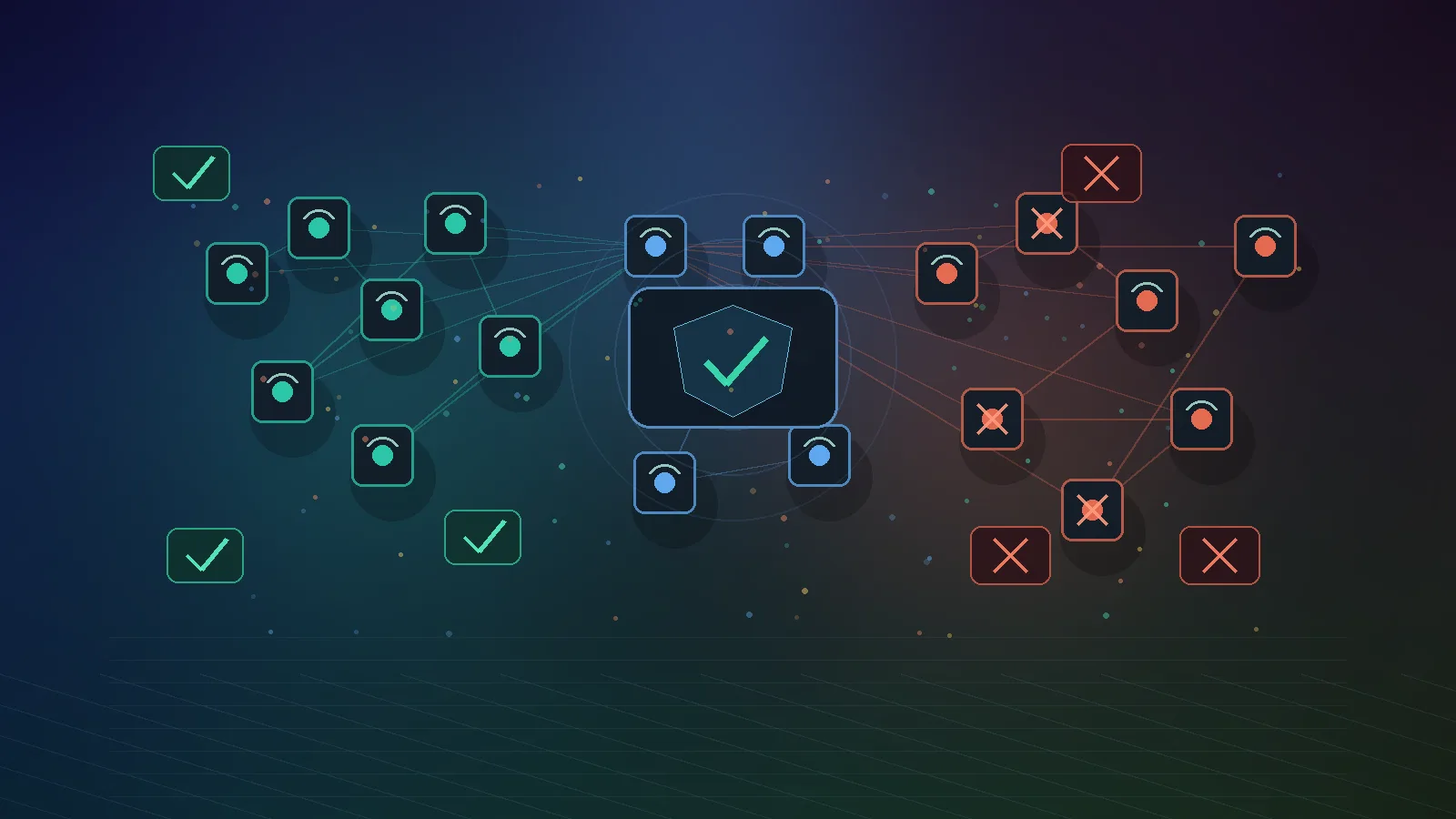
Why VPS IP gets banned often has less to do with your first script and more to do with network trust. Anti-bot systems do not judge only a single IP address; they also evaluate the ASN reputation behind it, the hosting category, past abuse signals, traffic behavior, and whether the session looks consistent over time.
Content Strategy Card
- Primary keyword: why VPS IP gets banned
- Secondary keywords: ASN reputation, VPS IP banned, IP reputation, datacenter IP reputation, bot detection ASN
- GEO target questions:
- Why does my VPS IP get banned even when I use a real browser?
- How does ASN-level trust affect Playwright or AI agents?
- Is a server-based residential setup better than a datacenter VPS for avoiding false bot blocks?
- Content type: Educational guide / infrastructure decision guide
- Target audience: AI agent builders, scraping teams, account operators, growth engineers, VPS buyers
- Target length: 2,100+ words
- E-E-A-T signal plan: Cite RIPE/APNIC for ASN definitions, Cloudflare bot and WAF documentation for ASN and bot-scoring mechanics, Spamhaus for IP reputation/blocklist context, and VoyraCloud product page for residential-IP VPS positioning.
- Content angle: Most blocking guides focus on browser fingerprints; this article targets the low-funnel problem query first, then explains the upstream network-reputation layer that decides whether the session starts trusted or suspicious.
TL;DR
- A VPS IP often gets banned because the network behind it is classified as hosting, proxy-like, or automation-heavy before your browser builds trust.
- Datacenter VPS IPs are often blocked because hosting ASNs are associated with automation, scraping, spam, credential attacks, and high-volume traffic.
- A real browser, Playwright stealth patch, or proxy tunnel cannot fully fix a bad network baseline if the ASN itself is treated as risky.
- Residential IP VPS infrastructure gives long-running agents a more natural ISP-issued identity plus full OS control, which is stronger than rotating proxies for sticky sessions.
- If you are building browser agents, MCP servers, Playwright workflows, or multi-account operations, combine this guide with Residential IP VPS vs Residential Proxy and Playwright anti-detection architecture.
Recommended Image Assets
- Hero image:
output/picture/11-asn-reputation-why-vps-ip-gets-banned-hero.webp- Alt text:
Network reputation diagram showing VPS IP traffic blocked by trust filters
- Alt text:
- Secondary image suggestion for WordPress stage:
asn-reputation-vps-ip-ban-flow.webp- Alt text:
Flow diagram showing IP address, ASN, reputation database, WAF rules, and bot detection decision
- Alt text:
What Is ASN Reputation?
ASN reputation is the trust score or risk profile associated with the network that announces an IP address to the internet. An ASN, or Autonomous System Number, identifies a network operator in global routing; RIPE NCC describes an AS Number as the unique number used when networks exchange exterior routing information.
In plain English: your IP address is not floating alone. It belongs to a routed network. That network may be a residential ISP, a mobile carrier, a cloud provider, a hosting company, a VPN provider, or a proxy operator. Anti-bot systems and security teams can inspect that network context before deciding how much trust to give the request.
This is why two IP addresses can behave very differently:
| IP context | Typical classification | Common trust baseline |
|---|---|---|
| Home broadband ISP | Residential | Higher for normal browsing sessions |
| Mobile carrier | Mobile / CGNAT | Higher but noisy due to shared users |
| Hyperscale cloud | Datacenter / hosting | Lower for consumer web surfaces |
| Cheap VPS host | Datacenter / hosting | Often risky for automation-heavy traffic |
| VPN provider | Proxy / VPN | Frequently challenged or blocked |
| Residential IP VPS | Residential + server control | Stronger fit for sticky agents and long sessions |
The important point is not that every datacenter IP is bad or every residential IP is safe. The point is that the network category changes the starting score. Your browser behavior, cookies, headers, rate limits, and account history still matter, but network-level trust decides whether the first request starts from trust or suspicion.
Why VPS IPs Get Banned
VPS IPs get banned because many websites associate hosting networks with automated, abusive, or non-human traffic. A VPS is useful precisely because it runs unattended, has high uptime, and can send traffic at scale. Those same qualities make generic hosting ASNs attractive to spammers, scrapers, credential attackers, vulnerability scanners, and low-quality automation.
Cloudflare’s bot documentation says modern bot detection uses multiple engines, including heuristics, JavaScript detections, machine learning, and behavioral analysis. Its machine learning model can use request features such as headers, session characteristics, and browser signals to produce a bot score. Separately, Cloudflare WAF custom lists can include ASNs through the ip.src.asnum field, which means site owners can explicitly treat traffic from specific networks differently.
That combination matters. Your VPS may be new to you, but the destination site may already know three things:
- The IP belongs to a hosting ASN.
- Neighboring IPs in the same network have produced bad traffic.
- Similar sessions from that ASN often behave like automation.
The result is a block that feels unfair: your own script did not spam, but the network has a reputation problem.
How Network Reputation Affects Browser Automation
Network reputation affects browser automation by changing how much evidence a site requires before it trusts the session. A Playwright browser from a developer laptop and the same Playwright browser from a cheap VPS can produce different outcomes because the network origin is different.
For browser agents, the most common symptoms are:
- Immediate 403: The request is rejected before the browser can build a meaningful session.
- JavaScript challenge loop: The page loads a challenge but never lets the agent proceed.
- CAPTCHA before login: The platform asks for verification because IP type and account history do not match.
- Soft throttling: Pages load slowly, assets fail, or response quality drops.
- Account warnings: The platform flags a login because the account appears to jump from a normal user network to a hosting ASN.
This is why “use a real browser” is incomplete advice. A real browser is necessary for many workflows, but it does not erase network identity. For long-running automation, read the deeper stack in why Playwright gets blocked on VPS.
IP Reputation vs Network Reputation
IP reputation is about one address or range; network reputation is about the broader operator behind that address. Both signals can affect whether a VPS IP gets banned, but they operate at different levels.
| Signal | Scope | Example reason for risk | What you can control |
|---|---|---|---|
| IP reputation | One IP or subnet | Previous user sent spam or scraped aggressively | Replace IP, warm up usage, avoid shared abuse |
| ASN-level trust | Whole routed network | Hosting network is associated with bot traffic | Choose a better network category |
| Domain/account reputation | Your login, cookie, or domain | New account, suspicious login history | Keep identity consistent |
| Behavioral reputation | Session actions over time | High concurrency, repetitive paths, retries | Rate limits, backoff, stop conditions |
| Device/browser reputation | Browser environment | Missing fonts, unstable fingerprint, headless signals | Use consistent browser profiles |
Spamhaus provides a useful reputation analogy from the email world. Its Spamhaus Blocklist lists IPs observed in malicious activity such as spam, hosting malicious content, or behaving like bulletproof hosting. Its Policy Blocklist is different: it can list IP ranges that should not send direct-to-MX email even if the specific user is not malicious. The lesson for web automation is similar: reputation systems evaluate both behavior and policy context.
For web traffic, there is no single universal network-trust database that every site uses. Large platforms, CDNs, WAF vendors, fraud teams, and security providers build their own models. But the practical outcome is the same: hosting networks, proxy networks, and residential networks are not treated equally.
Datacenter VPS vs Residential IP VPS
A datacenter VPS is best for general server workloads, while a residential IP VPS is better for long-running browser identities that need a normal ISP network profile. The difference is not CPU, RAM, or Linux access. The difference is the public network identity.
| Requirement | Datacenter VPS | Residential IP VPS |
|---|---|---|
| Host a website or API | Excellent | Works, but usually not necessary |
| Run internal scripts | Excellent | Works, but may be overkill |
| Run Playwright against your own app | Excellent | Works, but not required |
| Long AI browser sessions | Often challenged | Stronger fit |
| Social or marketplace account operations | High friction | Better identity continuity |
| Geo-sensitive monitoring | Depends on datacenter location | More natural regional vantage point |
| Inbound webhook/MCP server | Excellent | Excellent |
| Outbound traffic to anti-bot surfaces | Weak baseline | Better baseline |
A Residential IP VPS is not just a proxy attached to a server. It is a VPS with a real ISP-issued residential IP and full OS control. That means you can run browser agents, queues, MCP servers, dashboards, Docker containers, and webhooks while keeping one stable network identity.
For category tradeoffs, the residential IP VPS vs residential proxy decision framework explains why proxy tunnels are weaker for stateful workloads. For a closer comparison between static and rotating proxy products, see Rotating ISP Proxy.
Why Rotating Proxies Do Not Always Fix ASN Problems
Rotating proxies do not always fix ASN problems because changing IPs can create a new identity problem even when the new IP has better reputation. Rotation is useful for high-volume, stateless collection where each request is independent. It is risky for workflows that need cookies, account history, session continuity, or predictable geography.
For example, an AI browser agent that logs into a dashboard should not appear from one network at 9:00, another city at 9:10, and another ASN at 9:20. Real users do not normally move that way. The session may pass an IP reputation check but fail account-risk logic.
Use rotating proxies for:
- Public data collection where the target allows automated access.
- High-concurrency, stateless tasks.
- Jobs where no account, cookie, or long session is required.
Use a server-based residential setup for:
- AI browser agents running 24/7.
- Playwright workflows with persistent profiles.
- MCP servers that call public web tools.
- n8n or automation nodes that need both inbound and outbound reliability.
- Multi-account architectures where each identity needs a stable home IP.
This is the same production principle behind running AI browser agents 24/7 on a residential IP VPS.
How to Diagnose Network Reputation Problems
You diagnose network reputation problems by separating network blocks from browser, account, and behavior blocks. Do not assume every 403 is an IP ban. Build a simple evidence checklist first.
1. Check the ASN and Network Type
The first diagnostic step is to identify the ASN, organization name, and network category behind the IP. Use public lookup tools from RIPE, APNIC, ARIN, BGP.tools, or ipinfo-style databases. Record the ASN, organization, country, and whether the network is classified as hosting, residential, mobile, VPN, or proxy.
2. Compare Against a Clean Residential Connection
A clean residential comparison tells you whether the block is network-specific. Open the same page from a normal home connection, with the same browser version and no automation. If the site works at home but fails instantly from the VPS, network reputation is a strong suspect.
3. Compare Headed and Headless Browser Behavior
Browser-mode comparison tells you whether the issue is purely browser automation or partly network reputation. If headed Chrome on the VPS still fails before any interaction, the ASN/IP layer is likely involved. If headed works but headless fails, browser signals matter more.
4. Inspect Status Codes and Challenge Pages
HTTP status and challenge type help classify the block. A 403 on first request is different from a rate-limit 429 after many requests. A CAPTCHA after login is different from a WAF block before rendering. Save screenshots, response headers, redirect chains, and Playwright traces.
5. Check Blocklists Where Relevant
Blocklist checks are most useful for email, abuse, and security reputation, but they can still reveal contaminated IP history. Spamhaus, abuse.ch, and other reputation portals can show whether an IP range has been associated with spam, malware, or abuse. A clean blocklist result does not guarantee web trust, but a dirty result is a warning.
How to Reduce VPS IP Ban Risk
You reduce VPS IP ban risk by improving the network baseline and making the automation behavior easier to trust. There is no ethical or technical guarantee of “no bans,” but the architecture can reduce false positives and operational noise.
Use this checklist:
- Choose the right network category. Use datacenter VPS for ordinary hosting, internal tools, and your own apps. Use ISP-backed residential infrastructure for stateful browser agents and anti-bot-sensitive workflows.
- Keep one identity stable. Bind one account or agent profile to one IP, one browser profile, one region, and one queue.
- Avoid burst traffic. Use concurrency limits, backoff, retry caps, and per-domain budgets.
- Persist allowed session state. Save cookies and local storage only where the workflow is permitted and expected to stay logged in.
- Do not force through blocks. CAPTCHAs, login challenges, payment gates, and repeated 403s should pause the workflow and trigger human review.
- Use official APIs when available. API access is more reliable and usually more compliant than browser automation.
- Monitor reputation drift. Track block rate, challenge rate, ASN, IP age, account warnings, and target-specific failures.
For a production scraping version of this architecture, see Rotating Proxy for Scraping: Production Setup. For agent-specific deployment, see How to Self-Host MCP Server on a Residential IP VPS.
When a Residential IP VPS Is the Right Choice
A server-based residential setup is the right choice when the workload needs both server control and a stable residential network identity. If all you need is a Linux box to host an API, a normal cloud VPS is simpler. If all you need is many outbound IPs for stateless requests, a proxy pool may be enough. A residential IP VPS sits between those categories.
It is especially useful for:
- AI browser agents: They need 24/7 runtime, cookies, local browser profiles, and stable IP identity.
- MCP servers with public-web tools: They need inbound server access plus outbound trust.
- Playwright automation: It needs full OS control, browser dependencies, traces, screenshots, and session persistence.
- AEO and SERP monitoring: It needs consistent geography and realistic browser observation.
- Cross-border e-commerce operations: Accounts need a stable network home instead of rotating infrastructure.
- Social media workflows: One account per VPS is easier to reason about than many accounts behind one proxy pool.
VoyraCloud’s Residential IP VPS is built for this pattern: genuine ISP residential IPs, dedicated resources, global coverage, full VPS control, and flat monthly pricing for long-running workloads.
FAQ
What is ASN-level trust?
ASN-level trust is the profile associated with the network that routes your IP address. It helps websites, WAFs, and anti-bot systems decide whether traffic from that network is likely to be normal user traffic, hosting traffic, proxy traffic, or abusive automation. It is broader than single-IP reputation because it reflects the network operator and neighboring traffic patterns.
Why does my VPS IP get banned immediately?
Why VPS IP gets banned immediately is usually that the destination site distrusts the hosting ASN before your script builds any session history. This can happen even with a fresh VPS if the provider’s network is associated with scraping, spam, VPN traffic, credential attacks, or high-volume automation. The issue may be the ASN category, not only your individual IP.
Can I fix network reputation with Playwright stealth plugins?
Playwright stealth plugins cannot fully fix network reputation because browser patches do not change the network your traffic comes from. They may reduce some browser-level detection signals, but WAFs and anti-bot systems can still evaluate IP type, ASN, traffic rate, session history, and account behavior. A better approach is to combine stable residential infrastructure with responsible automation design.
Is a residential server better than a proxy for avoiding bans?
A residential server is better than a proxy when the workload needs a long-lived identity, full OS control, and inbound services. A proxy can be better for high-volume stateless collection, but it only forwards traffic. For AI agents, Playwright sessions, MCP servers, and account workflows, the server model gives the identity a stable home.
Does residential IP guarantee no blocks?
No, residential IP does not guarantee no blocks. It improves the network baseline, but sites still evaluate browser signals, behavior, rate limits, account quality, content access rules, and abuse patterns. Any provider claiming guaranteed no bans is overpromising. Treat residential IP as one layer in a complete reliability architecture.
How do I check the ASN of my VPS IP?
You can check the ASN of your VPS IP with public routing and registry tools such as RIPE, APNIC, ARIN, BGP.tools, or commercial IP-intelligence databases. Look for the ASN number, organization name, country, and network type. If the network is clearly labeled hosting, cloud, VPN, or proxy, consumer platforms may treat it with more suspicion.
Should I abandon datacenter VPS hosting completely?
No, datacenter VPS hosting is still the right choice for normal server workloads. Use it for websites, APIs, databases, internal automation, staging environments, and scripts against your own systems. Switch to residential server infrastructure only when the workload depends on a residential network identity, sticky browser sessions, or lower false-positive friction from anti-bot systems.
Conclusion
Network reputation explains why VPS IP bans often happen before the browser layer gets a fair chance. A clean script can still fail when it starts from a hosting ASN that security systems already distrust. That does not mean every workflow needs residential infrastructure; it means the network category must match the workload.
Use a normal datacenter VPS for ordinary hosting and internal systems. Use proxies for stateless, high-concurrency jobs where rotation is useful and permitted. Use a residential server when the task needs one stable identity, real browser state, 24/7 runtime, and full server control. For VoyraCloud’s core audience, that is the architecture behind AI agents, Playwright automation, MCP servers, AEO monitoring, and long-running account workflows.